Hide ur Base and Steal How to Redeem Codes
UI steps, error fixes, and why wrong-game strings always fail.
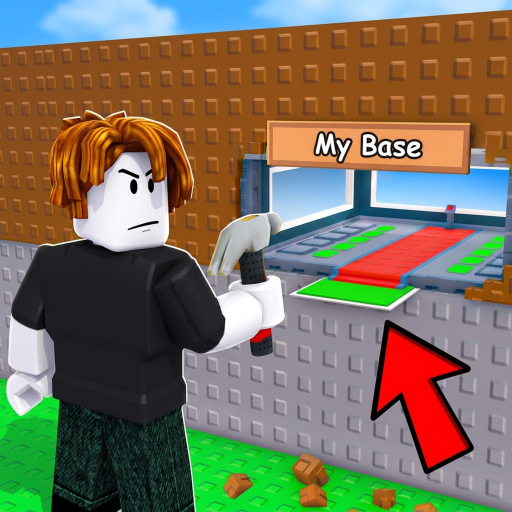
When Hide ur Base and Steal finally drops promo codes, speed matters. This page teaches the redeem flow, common failure messages, and how to avoid wasting time on codes stolen from Build a Base and Steal lists. For live status — including the current honest answer that no public codes are verified yet — stay on the Codes Hub.
Before you redeem checklist
- Confirm you are in Hide ur Base and Steal (place
80844740579381), not a lookalike. - Finish any mandatory tutorial prompts so the full HUD exists.
- Copy the code from a trusted source (this wiki once listed, Sutik x Tommy group shout, or official social linked from the experience page).
- Paste carefully — codes are usually case-sensitive.
- Redeem on the account that will play; most Roblox codes are per-account, not shareable infinitely.
Step-by-step (expected Shop flow)
Creators in this genre typically bury redeem boxes in Shop UIs. Until Sutik x Tommy ships a different panel, use this sequence:
- Launch Hide ur Base and Steal on Roblox.
- Wait for the map and HUD to finish loading.
- Open the Shop button (commonly along the left side of the screen on similar tycoons — follow the live label if renamed).
- Scroll the Shop panel until you see a Redeem / Enter Code text box.
- Paste the code exactly.
- Press Redeem / Submit.
- Check for a success toast and confirm rewards in cash, luck, or inventory.
If your build uses a separate Codes button, prefer that on-screen label over this wiki’s Shop assumption — UI can move after patch notes.
Mobile players: tap Shop with a free thumb, then paste from the clipboard. Mis-taps that open gamepass rows are normal; scroll past them to the redeem field. More input help sits on controls.
What success looks like
- On-screen confirmation
- Immediate currency or luck buff indicator
- Ability to spend new cash into pets during the next server luck window
Screenshot the success if you report a new code to the community so others can verify without phishing sites.
Troubleshooting
“Invalid code” / silent fail
- Wrong game list (most common)
- Typo, extra space, or wrong case
- Expired after a milestone weekend
- Already redeemed on this account
No redeem box visible
- Tutorial not finished
- UI hidden behind another menu
- Patch moved the box — check update notes
- You joined a knockoff experience with a similar name
Rewards missing
- Rejoin once to refresh HUD
- Check whether the reward was a short luck buff that already expired
- Confirm you did not redeem on an alt by mistake
Wrong-game codes to ignore
If a site tells you to redeem VOLCANOO, Happy30K, UPDATE, RADIOACTIVE, or other famous Build a Base and Steal strings here, stop. Those belong to a different experience and will not validate. This wiki will never copy them into a “working” table for Hide ur Base and Steal.
Likewise ignore Steal a Brainrot code dumps. Different loop, different economy, different redeem backend.
Where new codes usually appear first
- Sutik x Tommy group shout / wall
- Experience description social links (Discord, X, YouTube)
- In-game banners after content updates
- Verified creator streams showing a live success toast
- This wiki’s Codes Hub after we reproduce the redeem
Do not buy codes. Do not download “code generators.” Do not paste executors promising free luck — read Scripts Hub.
After you redeem — spend smart
Codes that grant cash or luck still respect the server clock. If you receive a luck buff, stack it mentally with the free server luck cadence and buy toward A/S pets. Then hide — new wealth without a quiet hiding spot is a donation.
Related pages
Bookmark this redeem guide so when the first legitimate string drops you are not learning the Shop scroll under a five-minute expiry timer. Until that day, progress comes from dens, steals, interrupts, and timed buys — not from fake lists.
Frequently Asked Questions
Quick answers to the most common questions.
How do I redeem codes in Hide ur Base and Steal?
Open the in-game Shop (or Codes panel if labeled), scroll to the redeem box, paste the exact code, and submit. Confirm you are in the correct Roblox experience first.
Why does every code say invalid?
Either no active codes exist yet, the string is from another game, it expired, or it was already redeemed on your account. Check the Codes Hub for verified status.
Are codes case-sensitive?
Usually yes. Paste exactly as published without extra spaces.
Can I redeem on mobile?
Yes. Use the same Shop/redeem UI with touch input and clipboard paste.
Where can I find new codes quickly?
Sutik x Tommy group posts, official socials linked from the Roblox page, update banners, and this wiki’s Codes Hub after verification.
Do you publish codes from Build a Base and Steal?
Never. Those strings are for a different game and will not work here.