Hide ur Base and Steal Controls & Inputs
Keyboard, touch, and the interactions that win steals or save dens.
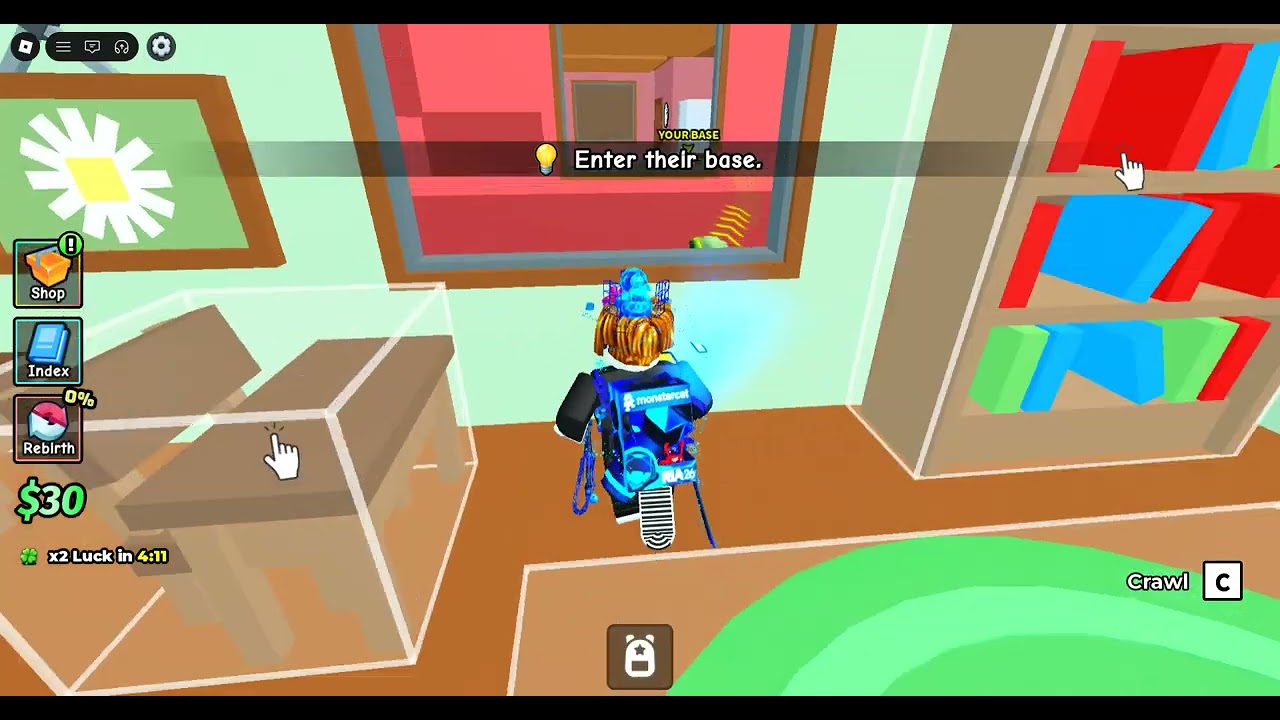
Hide ur Base and Steal rewards clean inputs as much as clever props. This Controls page documents the player-facing actions you will spam every session: move, interact with secret spots, buy and secure pets, crawl through awkward dens, TP back after a raid, and hit thieves before they escape. Roblox default movement applies; game-specific prompts appear on-screen — always prefer the live prompt label if a patch renames a button (updates).
Pair this page with Getting Started for the loop and Players Hub for lobby habits.
Default movement (keyboard)
| Action | Typical input |
|---|---|
| Move | WASD |
| Jump | Space |
| Camera | Mouse |
| Sprint | Check Roblox settings / shift lock preferences |
| Crouch / crawl | Use the on-screen crawl control when offered near tight props |
Shift lock helps when lining up hit interrupts at a door mouth. If camera fights you inside cluttered church props, loosen sensitivity before blaming the den.
Touch / mobile
- Left virtual stick moves; right drag moves camera.
- Tap highlighted prompts to enter secret spots, steal pets, or redeem UI buttons.
- Thumb fatigue is real — shorter sessions with conscious hiding spots beat sweaty mis-taps that drop a crocodile in public.
- Enable any in-game mobile layout options if a patch adds larger TP or hit buttons.
Core gameplay interactions
Place / move secret spot
Prompts appear on valid world props (benches, rocks, church pieces, playground gear). Confirm placement before investing pets. Moving after discovery is a first-class defense — see protect your base.
Enter / exit base
Interact with your secret spot to enter your private base volume. Exit the same way. Practice until the animation does not leave you stuck in the open.
Buy / claim pets
Shop or roll interfaces consume cash. During server luck spikes, keep camera free enough to notice door campers even while menus are open.
Carry and secure
Carry pets into your base and secure them into slots to start income. After securing, a short lock (players observe about twenty seconds) can block immediately moving that pet again — do not panic-spam; watch the door instead.
Steal interact
Inside another base, interact with a target pet to start the steal carry. Full route planning: how to steal.
TP back
Use the game’s teleport-home style control to return to your den after a successful grab. Bind awareness matters: hitting TP a second too late is how owners tag you at the exit. On success, face the door and prepare a hit in case someone followed the flow.
Hit / interrupt
Melee or hit input against a carrier can cancel their steal. Early tags near your prop beat heroic mid-map chases. This is your primary anti-theft tool — not a script.
Suggested keyboard mental stack
- Movement + camera always
- Interact on prompts
- Hit interrupt when a carrier is near
- TP back when the carry is clean
- Menu / shop only with a safe den
If you catch yourself opening shop the instant a luck double arrives without checking the approach, you will feed how to steal readers free wins.
Controller notes
Roblox controller support varies by device. Map interact and attack to buttons you can reach without removing thumbs from movement. Test crawl and TP in a quiet server before staking legendaries.
Common input failures
- Interacting with the wrong mesh beside your real door — practice click precision on cluttered playgrounds.
- TP while still inside the victim base — wait for a clean exterior state if the prompt allows misuse.
- Hit attempts with camera buried in a wall — pre-aim before the thief reaches the mouth.
- Secure spam during lock — wastes attention; watch approaches instead.
- Emote wheel mid-defense — congratulations on the dance; your llama left.
Accessibility and QoL
- Increase UI scale on mobile if prompts are easy to miss.
- Use headphones for combat audio near “empty” props.
- Colorblind players: rely on motion and prompt text, not only rarity color glows, when targeting pets inside dens.
Practice routine
- Place a den; enter/exit ten times from two approaches.
- Secure a junk pet; wait through the lock while strafing the door.
- With a friend, practice hit timing on a slow carry.
- Steal a mid pet; TP back; secure without opening global chat.
- Repeat once on mobile if you dual-wield devices.
Related pages
- Players Hub
- Getting Started
- How to Steal
- Protect Your Base
- Hiding Spots
- Codes redeem steps (UI navigation)
Controls mastery is invisible when perfect and humiliating when missing. Learn the prompts offline of your ego — then take them into stacked luck hours where menus and melee compete for your thumbs.
Frequently Asked Questions
Quick answers to the most common questions.
How do I TP back in Hide ur Base and Steal?
Use the in-game teleport / TP-back control after a steal to return to your hidden base, then secure the pet and watch your door for pursuers.
How do I stop a thief?
Hit them while they are carrying your pet. Early interrupts near your secret spot work better than long chases.
Can I crawl?
Yes — crawling helps in tight props and stealthy approaches. Use the on-screen crawl control when the game offers it near dense meshes.
Why can’t I move a pet I just secured?
A short lock window after securing (about twenty seconds in player reports) can block immediate moves. Wait it out and guard the entrance.
Are controls the same on mobile?
Actions match, but prompts are tap-based. Practice TP and hit buttons in a quiet server before high-stakes raids.
Do I need shift lock?
Not required, but many players prefer it for precise hits at door mouths. Use whatever camera mode lets you track carriers cleanly.